Why does a `content-visibility: hidden` section still reserve layout space?
See why `content-visibility: hidden` skips rendering without collapsing the box, then compare it with a visible state and the cases where `display: none` is the real fix.
A hidden section can stop painting its contents and still push the rest of the page down. That is not a browser bug. It is the difference between skipping rendering and removing a box from flow.
This article uses one controlled fixture to show the reserved-space behavior, then shows the boundary where `content-visibility` stops being the right tool. The point is not that the property is broken. The point is that it does exactly one thing, and layout removal is not that thing.
Reproduce the blank gap before the reveal
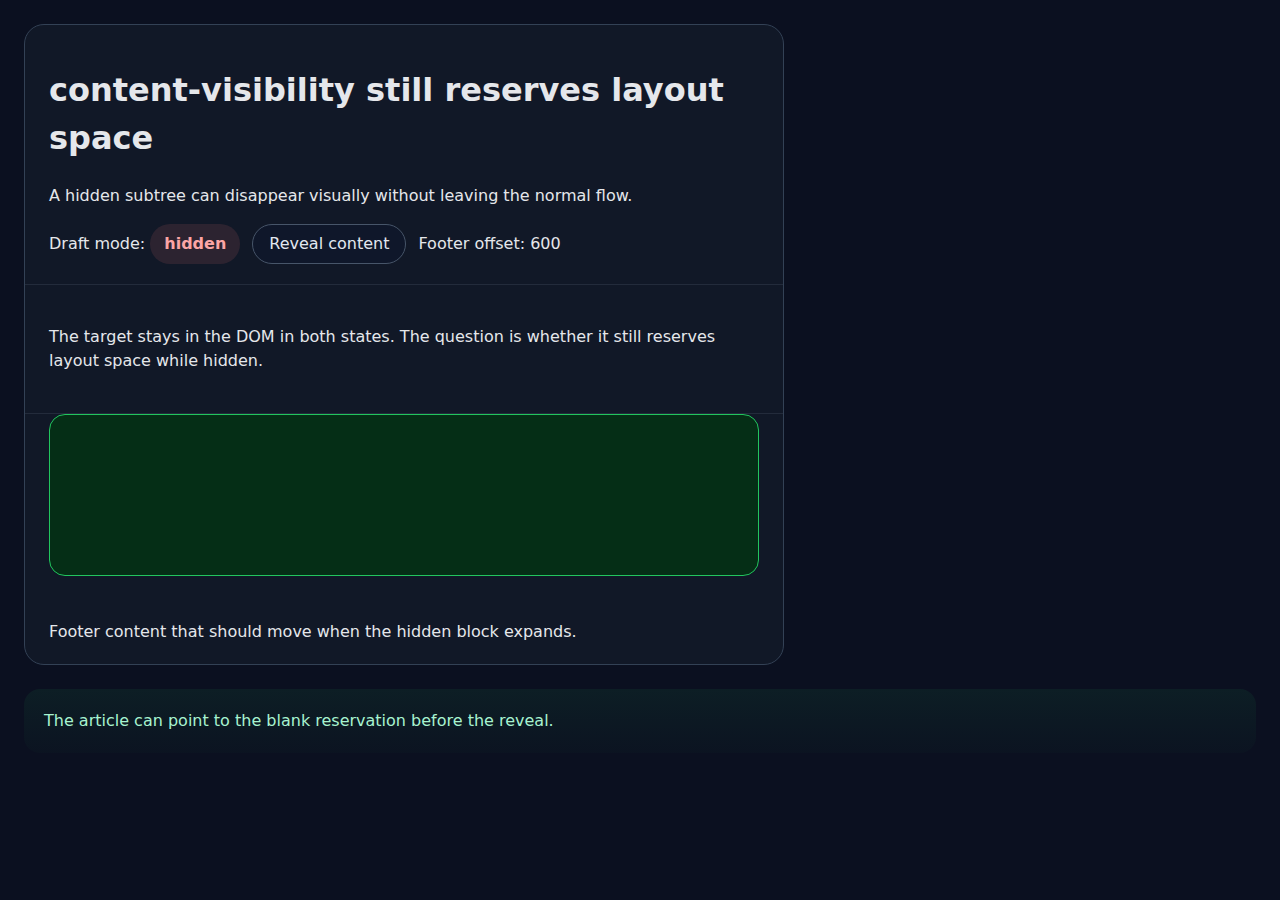
The fixture starts with a card whose subtree is hidden with `content-visibility: hidden` and given a small `contain-intrinsic-size`. The footer below it still lands well below the header because the browser keeps the hidden box in the layout.
That is the first thing to understand: the property changes rendering, not ownership. The subtree can be skipped visually while the page still reserves room for it in flow. The screenshot below shows the hidden state and the space it still occupies.
Why the box still takes space
MDN describes `content-visibility: hidden` as skipping the element's contents, which is useful when you want rendering cost to drop without changing the element's role in the page. The CSS Containment spec keeps the same direction: the property controls whether contents are rendered, not whether the element exists in layout at all.
That distinction matters when you are hiding a long answer, a tab panel, or a deferred section. If you expect the page below it to jump up as soon as the content is hidden, `content-visibility: hidden` will surprise you. It preserves a layout reservation so the page does not reflow as aggressively as `display: none` would. The browser fixture makes that difference visible by measuring the footer position before and after revealing the subtree. The footer moves only after the property changes back to `visible`, because the reservation disappears only when the hidden content is allowed to participate in normal layout again.
The practical consequence is that `content-visibility` is a performance switch, not a collapse switch. It is a good fit when the content is real, should stay addressable in the DOM, and should keep a stable footprint while deferred. It is the wrong fit when the user needs the page around it to compress immediately. If the section is supposed to vanish entirely, use a mechanism that actually removes it from flow instead of asking a rendering hint to do layout removal it was not designed to provide.
SourcesCSS Containment Module Level 2 (opens a new tab)MDN: content-visibility (opens a new tab)
Compare the revealed state at the same viewport
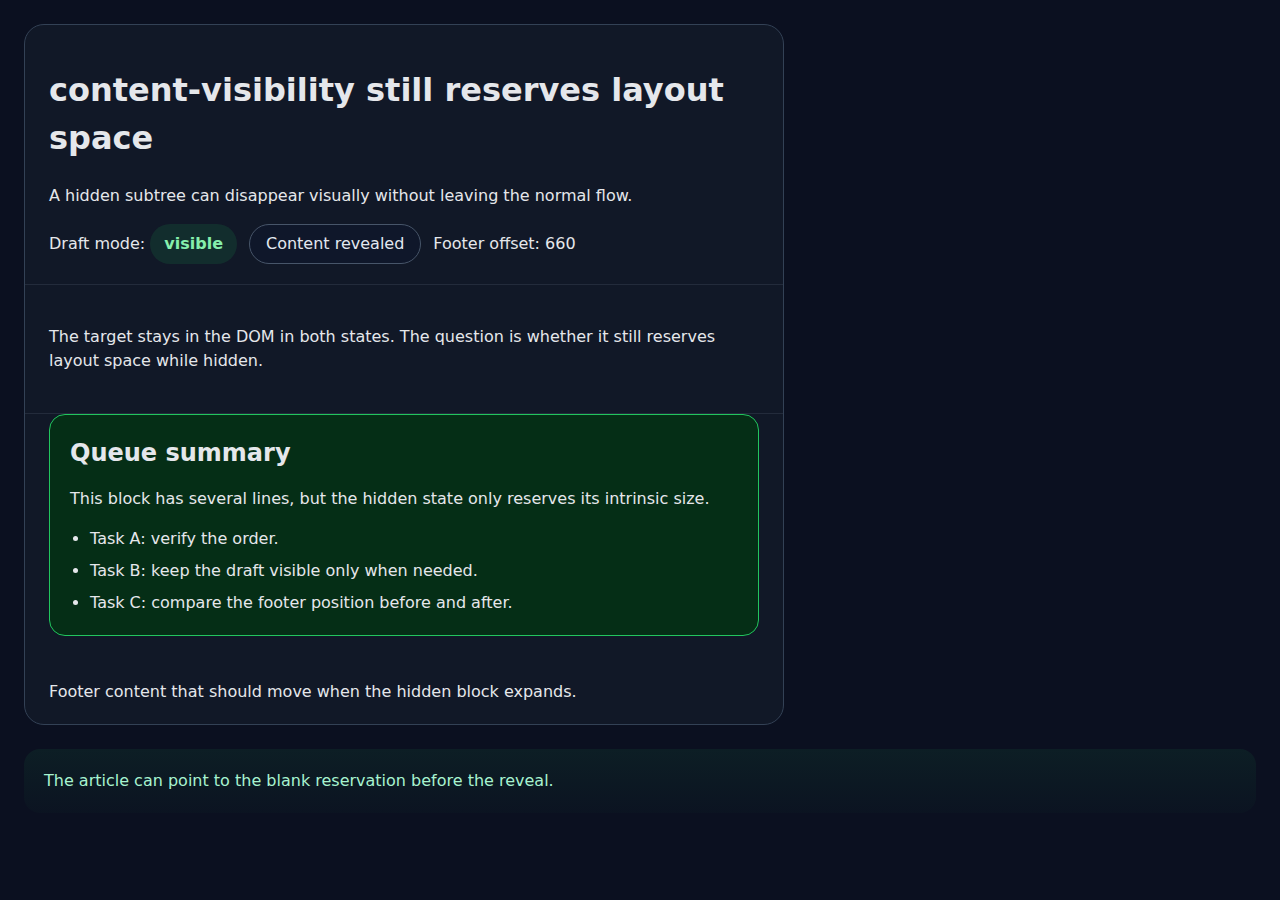
The repaired state is not a different page. It is the same controlled fixture with the hidden subtree revealed. The footer moves farther down because the card now renders its actual content instead of only its intrinsic placeholder size.
That comparison is useful because it shows what the property is for. Use `content-visibility: hidden` when you want to suppress rendering work while keeping the element's footprint. Do not use it when the product requirement is to collapse the section completely.
A second edge case is size mismatch. If the intrinsic size reservation is much smaller than the real content height, the page will jump when the section reveals. If it is much larger, the reserved blank area is noticeable and may feel like dead space. The article therefore treats the placeholder as part of the decision, not a harmless implementation detail. That reserve size is what makes the hidden state legible in the test and what can make it annoying in production if you choose it casually.
Use a different property when you need collapse, not skipping
If the real requirement is that the block disappear from flow, `display: none` is the direct mechanism. If the block should remain in the document and keep a stable slot, `content-visibility: hidden` is the lighter-weight option.
This article does not claim that one property is universally better. It shows the decision boundary: preserve space when you are optimizing rendering, and remove space when the layout itself should change. Mixing those two goals is what creates the bug.
Another useful boundary is interactivity. If the hidden section still owns focus, controls, or validation state, leaving the box in the tree can be correct because the user can return to it later. If the section is only a visual placeholder and the next element should slide up immediately, keeping the reservation is just noise. The right property follows the user's task, not the CSS vocabulary. The fixture also demonstrates that a simple toggle is enough to prove the movement without inventing a larger app.
- Use `content-visibility: hidden` when the hidden subtree should keep its place in the layout.
- Use `display: none` when the hidden subtree should collapse completely.
- Do not infer accessibility or semantic removal from the presence of a reserved box.
Verify the boundary, not just the happy path
The local regression test checks two concrete states: the hidden subtree reserves space, and the revealed subtree expands beyond that reservation. It does not try to measure long-page performance, browser compatibility across every engine, or accessibility details beyond the source documents.
That limitation is deliberate. The article answers one question: why the hidden subtree still affects layout. It does not pretend to settle every performance tradeoff that `content-visibility` can influence.
The remaining risk is that a reader could overgeneralize from the controlled fixture. The browser test proves the layout reservation on this page, with this viewport, in Chromium 145 headless. It does not guarantee the same pixel result after font changes, with different intrinsic sizes, or in every browser engine. The source documents explain the intended behavior, but the production decision still belongs to the application.
| Checked case | Observed result | Not proven |
|---|---|---|
| Hidden subtree | The footer stays lower because the intrinsic size is still reserved. | How every browser engine implements the same reservation in all edge cases. |
| Revealed subtree | The footer moves after the full content participates in layout. | Whether this is the right optimization for a specific production page. |
SourcesMDN: content-visibility (opens a new tab)CSS Containment Module Level 2 (opens a new tab)