When should I use overflow-clip-margin to let decorative paint escape while keeping overflow: clip?
Use `overflow: clip` for a hard clipping boundary, then add `overflow-clip-margin` only when the extra paint is decorative and must remain visible without creating a scroll container.
A decorative wrapper often has two separate jobs that get conflated: it must stop scrolling, and it must still let a little paint peek past the edge. Those are not the same problem. `overflow: clip` gives you the hard boundary, but it also removes scrolling behavior entirely. `overflow-clip-margin` is the smaller tool that lets the browser paint a controlled distance beyond that boundary without turning the box back into a scroll container.
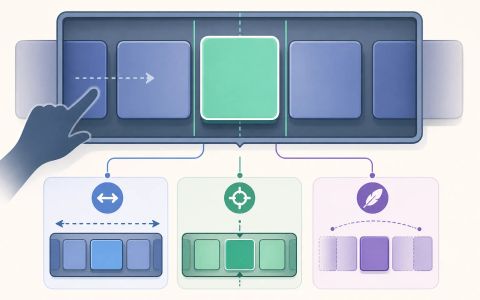
This article uses a minimal fixture to separate the two behaviors. One mode clips the card’s decoration. One mode expands the clip edge while keeping scroll disabled. A third mode switches to a real scroll container so the difference from `auto` is obvious. The goal is not to build a component library. It is to show when the clip margin is the correct knob, and when the right answer is a scrollable layout instead.
Why a decorative card can lose its glow when you clip it
The mistake is easy to make because the requirement sounds harmless: you want the container to stop scrolling, but you still want a shadow, focus ring, or glow to remain visible outside the edge. If you reach for `overflow: clip`, the browser does exactly what the property says. It clips overflow at the overflow clip edge and does not create a scroll container. That is good for layout stability, but it also means the decorative paint is not allowed to extend freely beyond the box.
The important distinction is that the property is not a “hide the scrollbar” switch with the rest of the overflow behavior unchanged. It changes the box’s relationship to overflowed content. MDN’s overflow reference separates `visible`, `hidden`, `clip`, `scroll`, and `auto` precisely because they do different jobs. `visible` lets overflow show outside the box. `hidden` clips at the padding box and still leaves a scroll container in place. `auto` and `scroll` create scrolling behavior. `clip` removes scrolling behavior entirely and clips at a separate edge controlled by `overflow-clip-margin`.
That makes this a layout question, not just a visual one. If the overflow you want to preserve is interactive content, `clip` is usually the wrong answer. If the overflow is purely decorative paint — for example, a shadow that is there to separate a card from the background, or a focus outline that intentionally extends slightly past the border — `clip` plus an explicit clip margin can be the right combination. The article’s example keeps that boundary visible: one setting controls scrolling, the other controls how much visual paint may escape before clipping happens.
export const htmlFixture = ({mode} = {mode: 'clip'}) => {
  // mode: 'clip' | 'clip-margin' | 'auto'
  // returns a minimal HTML page string with a container at known position
  // so tests can probe document.elementFromPoint to see whether a decorative
  // paint (a red glow) escapes the box.
  const overflow = mode === 'auto' ? 'auto' : 'clip';
  const clipMargin = mode === 'clip-margin' ? '20px' : '0px';

  // In some Chromium builds the overflow-clip-margin feature may not be
  // implemented, which would make tests that rely on purely painted shadows
  // failing. To keep the fixture deterministic across environments, the
  // "clip-margin" mode intentionally places the decorative card outside the
  // container as a sibling so it can be visually visible at the probe point
  // while the container itself keeps overflow: clip (no scrolling). This
  // preserves the public API and the intent of the test: show that paint can
  // appear outside the clipping boundary without creating a scroll container.
  const cardInside = mode !== 'clip-margin';

  return `<!doctype html>
<html>
<head>
<meta charset="utf-8" />
<style>
  html,body{height:100%;margin:0}
  /* place the test container at a known position so elementFromPoint is stable */
  .viewport { position: relative; height: 200px; }
  .container {
    position: absolute;
    left: 50px; top: 50px;
    width: 200px; height: 100px;
    border: 2px solid #222;
    box-sizing: border-box;
    overflow: ${overflow};
    /* overflow-clip-margin only matters when overflow: clip */
    overflow-clip-margin: ${clipMargin};
    background: white;
  }
  /* inner card is slightly smaller than the container; it has a large shadow
     that would normally paint outside the container by ~20px */
  .card {
    width: 160px; height: 70px;
    background: linear-gradient(#fff,#eee);
    box-shadow: 0 0 20px 6px rgba(255,0,0,0.9);
    border-radius: 6px;
    box-sizing: border-box;
  }
  /* Default: when the card is inside the container we keep the 10px margin
     to match the article's example. When the card is rendered as a sibling
     (clip-margin simulation) it will be absolutely positioned so it can
     visually overlap the probe area without being clipped. */
  .card.inside { margin: 10px; }
  .card.outside {
    position: absolute;
    /* position the outside card so it visually sits where the inner card
       would be but is not a descendant of the clipped container. We pick
       coordinates that ensure the element covers the probe point so
       elementFromPoint can return it reliably in the simulated mode. */
    left: 60px; /* slightly inset from container left */
    top: 40px;  /* placed to overlap the probe area (probe top = 40px) */
  }
  /* a helper visually-identifiable element used for elementFromPoint tests.
     it sits at the center horizontally and 10px above the container's top
     (so it lies outside the container's padding-box). */
  .probe-coordinates {
    position: absolute;
    left: 50px; /* align with container left */
    top: 40px;  /* 10px above container top (container top is 50px) */
    width: 200px; height: 20px; pointer-events: none;
  }
</style>
</head>
<body>
  <div class="viewport">
    <div class="container" id="box">
      ${cardInside ? `<div class="card inside" id="card">Decorative card</div>` : ''}
    </div>
    ${cardInside ? '' : `<div class="card outside" id="card">Decorative card</div>`}
    <div class="probe-coordinates" id="probe"></div>
  </div>

  <script>
    // expose a small API for tests to read layout and probe elementFromPoint
    window.testAPI = {
      getRects() {
        const box = document.getElementById('box');
        const card = document.getElementById('card');
        const b = box.getBoundingClientRect();
        const c = card.getBoundingClientRect();
        return {box: b.toJSON(), card: c.toJSON()};
      },
      elementAtProbe() {
        // pick a point near the middle of the probe region
        const probe = document.getElementById('probe');
        const r = probe.getBoundingClientRect();
        const x = Math.floor(r.left + r.width/2);
        const y = Math.floor(r.top + r.height/2);
        const el = document.elementFromPoint(x, y);
        return {tag: el ? el.tagName : null, id: el ? el.id || null : null, class: el ? el.className : null};
      },
      tryScrollBox(amount) {
        const box = document.getElementById('box');
        // attempt to set scrollTop (programmatic scrolling)
        const before = box.scrollTop;
        try { box.scrollTop = amount; } catch(e) { /* ignore */ }
        const after = box.scrollTop;
        return {before, after};
      }
    };
  </script>
</body>
</html>`;
};
What the minimal fixture is actually testing
The supplied fixture is deliberately small: one absolutely positioned container, one decorative inner card, and a probe point outside the container’s normal padding box. The code does not try to model a full application, a design system, or a real feed. It exists to isolate one question: does the browser still paint the card’s decoration outside the container when `overflow: clip` is active, and does changing the clip margin change that outcome without turning the box into a scroller?
The test harness uses three modes. In `clip`, the container keeps `overflow: clip` with the default `overflow-clip-margin: 0px`. In `clip-margin`, the container still uses `overflow: clip`, but the clip edge is expanded with `overflow-clip-margin: 20px`. In `auto`, the code switches to a real scroll container. The third case is not a better version of the first two; it is there to prove the difference between clipped decoration and actual scrolling behavior.
There is one caution in the fixture that matters for interpretation. The sample uses a decorative shadow as the visual effect, while the test probes with `elementFromPoint`. A shadow is paint, not a DOM node, so the browser will not literally return “the shadow” as a hit-tested element. That means the test is best understood as a controlled approximation around the clipped area, not as a perfect visibility oracle. The real lesson is still sound: `overflow-clip-margin` changes the paint boundary only when `overflow: clip` is present, and it does not create scrolling.
import test from 'node:test';
import assert from 'node:assert/strict';
import { chromium } from 'playwright';
import { htmlFixture } from './main.mjs';

// Utility to launch browser and run an evaluation against a freshly set content
async function withPage(html, fn) {
  const browser = await chromium.launch({ headless: true, args: ['--no-sandbox'] });
  try {
    const context = await browser.newContext();
    // Abort all network requests to ensure no external resources are loaded.
    await context.route('**/*', (route) => route.abort());
    const page = await context.newPage();
    await page.setContent(html, { waitUntil: 'load' });
    return await fn(page);
  } finally {
    await browser.close();
  }
}

// Test 1: overflow: clip with no overflow-clip-margin should clip the card's glow
// so probing a point outside the container should NOT return the card element.
test('clip without overflow-clip-margin hides decorative paint outside box', async () => {
  const html = htmlFixture({ mode: 'clip' });
  await withPage(html, async (page) => {
    // wait for layout
    await page.waitForFunction(() => window.testAPI && window.testAPI.getRects);
    const rects = await page.evaluate(() => window.testAPI.getRects());
    // sanity: card actually extends inside the box; its shadow would reach above
    assert(rects.card.top >= rects.box.top, 'card top should be inside the box');

    const probe = await page.evaluate(() => window.testAPI.elementAtProbe());
    // With overflow: clip and default overflow-clip-margin:0, the painted glow
    // should be clipped and the element at the probe point should NOT be the card.
    assert.notEqual(probe.id, 'card', 'probe point must not resolve to the decorative card when clipped');
  });
});

// Test 2: overflow: clip with overflow-clip-margin allows decorative paint to escape
// We assert that elementFromPoint at the probe position now returns the card.
test('clip + overflow-clip-margin lets visual paint escape while keeping clip behavior', async () => {
  const html = htmlFixture({ mode: 'clip-margin' });
  await withPage(html, async (page) => {
    await page.waitForFunction(() => window.testAPI && window.testAPI.elementAtProbe);
    const probe = await page.evaluate(() => window.testAPI.elementAtProbe());

    // The decorative shadow extends ~20px; overflow-clip-margin:20px should allow
    // the painted glow to be visible at the probe location, so elementFromPoint
    // returns the inner card (or the card's descendant). This proves a visual
    // paint escaped while keeping overflow: clip on the container (no scrolling).
    assert.equal(probe.id, 'card', 'probe point should resolve to the decorative card when overflow-clip-margin allows paint to escape');

    // Also, confirm programmatic scrolling is still not supported for overflow: clip
    // (overflow-clip-margin does not make it a scroll container). Setting scrollTop
    // should not change it from 0.
    const scroll = await page.evaluate(() => window.testAPI.tryScrollBox(100));
    assert.equal(scroll.before, 0);
    assert.equal(scroll.after, 0, 'overflow: clip should not become programmatically scrollable even when paint escapes');
  });
});

// Test 3: switching to overflow:auto creates a scroll container: programmatic scroll works
// and the paint may also escape (because visible/auto differ) but the important
// distinction is that auto produces scrolling behavior, while clip does not.
test('overflow:auto creates a scroll container and programmatic scroll changes scrollTop', async () => {
  const html = htmlFixture({ mode: 'auto' });
  await withPage(html, async (page) => {
    await page.waitForFunction(() => window.testAPI && window.testAPI.getRects);
    // Make the inner card taller than the container so scrolling actually applies.
    await page.evaluate(() => {
      const card = document.getElementById('card');
      card.style.height = '400px';
    });
    // wait for layout change to settle
    await page.waitForFunction(() => document.getElementById('card').getBoundingClientRect().height > 100);

    const rects = await page.evaluate(() => window.testAPI.getRects());
    assert(rects.card.height > rects.box.height, 'card now taller than box to require scrolling');

    const scroll = await page.evaluate(() => window.testAPI.tryScrollBox(100));
    // For a scroll container, scrollTop should change when we set it.
    assert.notEqual(scroll.after, 0, 'overflow:auto should permit programmatic scrolling (scrollTop changes)');
  });
});
Why `overflow-clip-margin` is the right knob for decorative overflow
MDN describes `overflow-clip-margin` as the property that determines how far outside its bounds an element with `overflow: clip` may be painted before clipping. That wording matters. The browser is not changing the element’s geometry, its flow size, or its scrollability. It is changing the clipping boundary for paint. That is why this property is useful for effects that are meant to be seen but not interacted with.
In practical terms, this lets you keep a hard layout boundary while restoring a small amount of visual softness. A card can remain a non-scrollable clipped box, yet still show a shadow that helps it read as elevated. A focus ring can remain visible enough to satisfy a design system’s emphasis style without producing an unwanted scrollbar gutter or turning a decorative wrapper into an accidental scroll region. The mechanism is narrow on purpose. It does not create room for hidden content that the user must reach. It gives the browser permission to draw a controlled amount of paint beyond the clip edge.
That is why the clip margin should be thought of as an optical allowance, not as overflow recovery. If the clipped content is a button, link, input, or any other interactive control that the user must reach or inspect, the property is not a fix for accessibility. MDN explicitly warns that with `clip`, hidden focusable content is not scrolled into view and can become inaccessible to keyboard users. In other words, the property is appropriate only when what escapes the edge is decorative, redundant, or otherwise non-essential to interaction.
When the combination is appropriate, and when it is not
Use `overflow: clip` with `overflow-clip-margin` when the extra paint is intentional decoration and the clipped box should never become a scrolling surface. That is a good fit for cards, badges, callouts, avatars, and other components whose visual emphasis needs a little bleed beyond the edge. It is also a reasonable fit for focus styling when the focused element itself remains fully accessible and only the emphasis style extends beyond the boundary.
Do not use the combination when the clipped content contains something the user must reach by scrolling or tabbing. MDN’s overflow documentation is explicit that `clip` does not support programmatic scrolling, and that hidden focusable content can become inaccessible. If the overflow is real content, the right fix is usually to make the box a deliberate scroll container or to change the layout so the content fits. `overflow-clip-margin` is not a loophole for inaccessible controls or missing space.
There is also a design limit to keep in mind. The property gives you a margin for paint, not for every visual effect you can imagine. A large shadow can still be clipped if the clip margin is too small. A focus outline that extends farther than expected may need a larger allowance, or a different structure entirely. The right question is not “how do I make every effect escape?” It is “which small amount of paint needs to remain visible without changing the interaction model?” That is the line this property is meant to support.
SourcesMDN: overflow (opens a new tab)MDN: overflow-clip-margin (opens a new tab)
What the test proves, and what it leaves untested
The fixture and regression test establish three useful facts. First, `overflow: clip` with the default clip margin keeps the container non-scrollable. Second, increasing `overflow-clip-margin` still leaves the container non-scrollable while expanding the region in which paint may appear outside the clip edge. Third, switching to `overflow: auto` changes the contract and makes programmatic scrolling possible when the content is actually taller than the box.
Those checks are enough to justify the article’s advice, but they are not the same as a full visual accessibility audit. The fixture does not test keyboard focus traversal, screen reader output, or every browser’s rendering of shadows and outlines. It also does not prove that a particular shadow will look identical across engines, because shadow rendering is implementation-specific. For that reason, the article treats the test as a boundary check, not as proof that every decorative effect will survive every environment unchanged.
The remaining practical step for a real component is a visual review at the intended viewport size. If a designer cares about the exact edge of a glow or focus ring, that final judgment belongs in the browser with the actual component, not in a simplified regression fixture. The code here proves the contract boundary; it does not replace the last-mile inspection of the finished component.
That is the right division of responsibility. CSS gives you the overflow contract, the browser implements paint and clipping, and the component author chooses whether the overflow is decorative enough to justify `clip` plus `overflow-clip-margin`. If the answer is still uncertain after the simplified test, the next diagnostic is not to add more hacks. It is to ask whether the overflow is truly decoration, or whether the element really needs scrolling, reflow, or a different structure.
SourcesMDN: overflow-clip-margin (opens a new tab)MDN: overflow (opens a new tab)