Why does `position: sticky` stop working when the wrapper has `overflow: hidden`?
Show why a clipping wrapper can steal sticky behavior, then compare `overflow: hidden` with `overflow: clip` in a controlled card fixture.
Sticky positioning is easy to recognize when it works and surprisingly hard to diagnose when a wrapper breaks it. A badge that used to pin near the top of the viewport suddenly starts traveling with its card after someone adds `overflow: hidden` to round the corners or crop the edges. The content is still visible. The layout still looks intentional. Only the sticky relationship changed.
That is the bug this article isolates. It compares the same card in two overflow modes, keeps the content and viewport the same, and checks the badge position after page scroll. The goal is not to replace every clipped card with `overflow: clip`. The goal is to show why a visual crop can also change which box sticky listens to, and how to choose the overflow value that matches the intended behavior.
The controlled example uses invented release-note copy so the only moving part is the overflow rule. That keeps the explanation focused on the browser behavior rather than on layout noise or application state. It also makes one practical limitation visible up front: if the wrapper really is supposed to be the thing that scrolls, then the article's recommendation changes. The bug only exists when the wrapper was meant to be cosmetic and accidentally became structural.
Reproduce the sticky failure in a clipped card
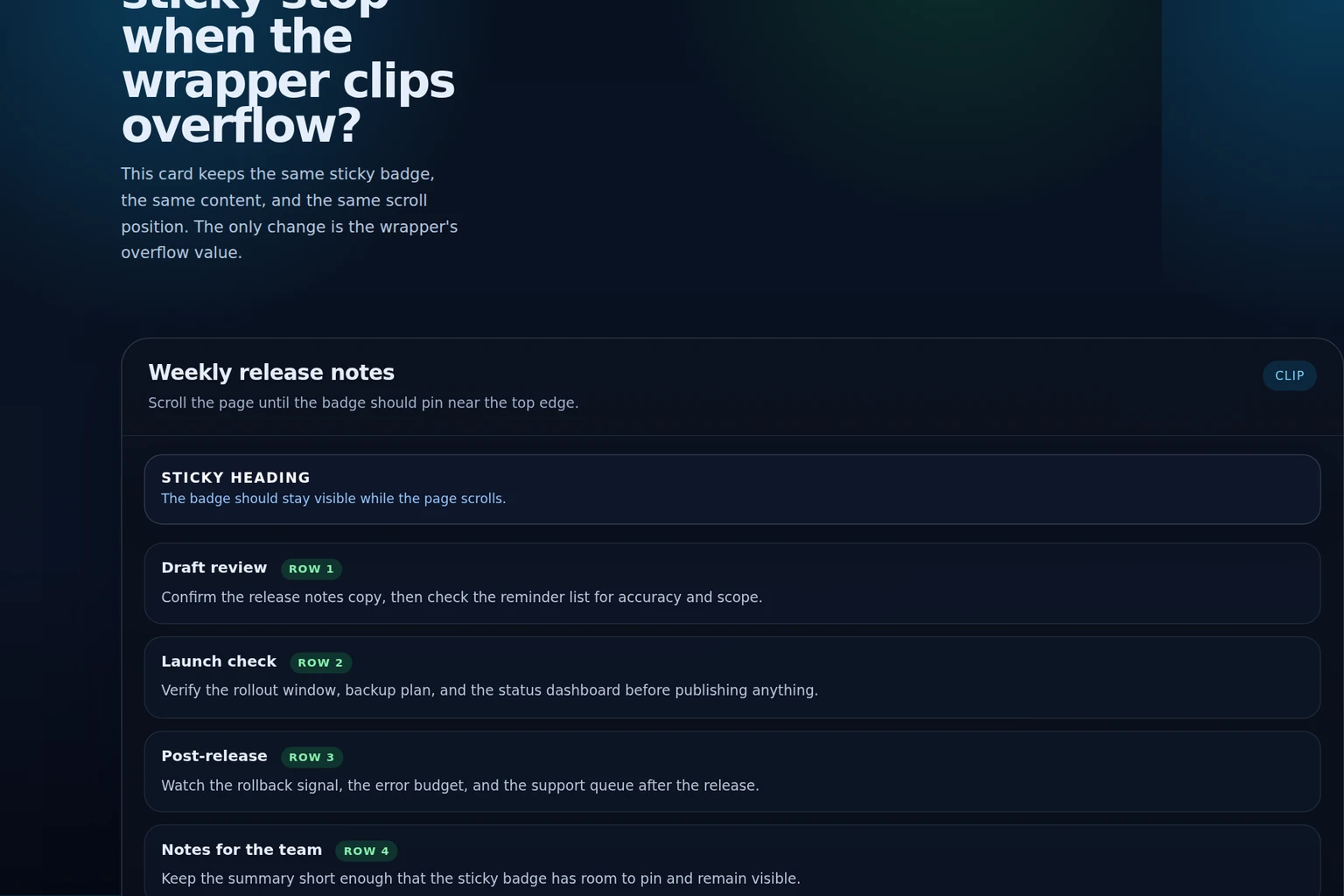
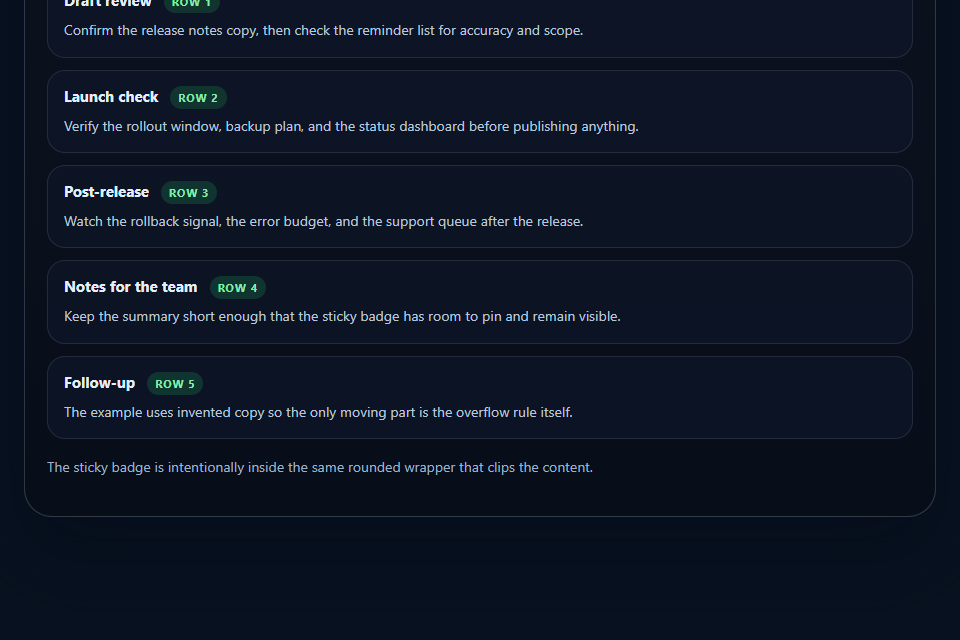
The first version keeps the card visually tidy with `overflow: hidden`. That seems harmless until the page scrolls far enough that the badge should stick near the viewport top. Instead, the badge keeps traveling with the card. The content is still readable, but the sticky behavior no longer matches the page scroll.
The important observation is that the badge is not broken because it lost its `position: sticky` declaration. It is broken because the wrapper now participates in the sticky relationship. A wrapper that exists only to crop corners can still change where sticky looks for its scroll context. That makes the bug feel like a timing issue at first, because the badge may behave as expected on a short page and then fail only after the page becomes long enough to scroll past the wrapper. The visible symptom is simple, but the cause is the boundary the wrapper creates.
SourcesMDN: position (opens a new tab)MDN: overflow (opens a new tab)
Use `overflow: clip` for paint-only cropping
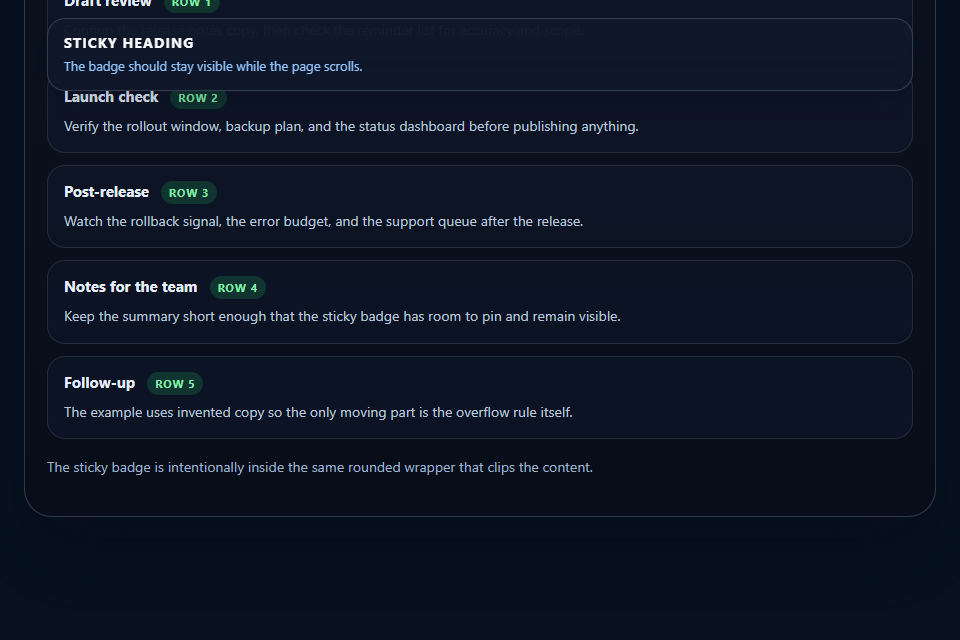
If the wrapper only needs to crop corners or conceal decorative edges, `overflow: clip` is the better fit. The card still clips the paint, but the sticky badge can continue to track the page scrollport instead of being captured by a hidden scroll context.
That distinction matters because it lets you keep the visual design and the interaction model separate. Hidden overflow is a behavior change. Clip is closer to a rendering choice. This example shows why that difference is useful when the content below the badge must still behave like part of the page. It also explains why a pure screenshot can be misleading: both versions can look equally tidy at rest, but only one preserves the sticky relationship after the page moves.
.card {
  border-radius: 28px;
  overflow: clip;
}

.card__sticky {
  position: sticky;
  top: 18px;
}
Prove the difference with a browser test
The regression test uses the same fixture, the same content, and the same scroll position in both modes. That matters because a screenshot alone can show that the card looks clipped, but it cannot prove which element sticky attached to. The geometry check compares the badge's position after the page scrolls in hidden and clip mode.
In the hidden case, the badge stays away from the viewport top. In the clip case, it ends up pinned near the top edge. The test does not claim that every browser handles every overflow combination the same way. It proves the behavior the article is about in the controlled browser used for authoring. That boundary is useful in practice because it tells a reader exactly what the check rules out: a misplaced sticky declaration, a bad badge offset, or a shorter fixture are not enough to explain the difference once the geometry is held constant.
Run the controlled example
Load the fixture at one viewport, then scroll the page the same amount in hidden and clip mode.
Check the sticky badge position
Assert that the badge remains away from the viewport top in the hidden case and ends up pinned near the top in the clip case.
Record the boundary
Keep a note that the result proves the local geometry relationship, not universal behavior across every browser or assistive technology path.
| Mode | Observed result |
|---|---|
| overflow: hidden | The sticky badge stays away from the viewport top after scrolling the page. |
| overflow: clip | The sticky badge remains pinned near the viewport top while the same card scrolls underneath. |
SourcesMDN: position (opens a new tab)MDN: overflow (opens a new tab)
Know when the fix does not apply
This is not a rule that every hidden wrapper should become clip. If the wrapper is supposed to be a real scrolling viewport, `overflow: hidden` or `overflow: auto` may still be the right choice. In that case, sticky should be designed and tested against that container on purpose.
The repair also does not help if the real bug is elsewhere. A too-tall layout, a nested scrolling region, or a different ancestor can still produce confusing sticky behavior. The point of the article is narrower: if a decorative wrapper is stealing sticky behavior, `overflow: clip` is often the cleaner replacement. If the page uses a long article layout with multiple sticky elements, the reader still needs to identify the one ancestor that actually controls the scroll relationship, because the nearest hidden wrapper is not always the only one involved.
SourcesMDN: position (opens a new tab)MDN: overflow (opens a new tab)