How should I announce successful form submission and offer Undo accessibly?
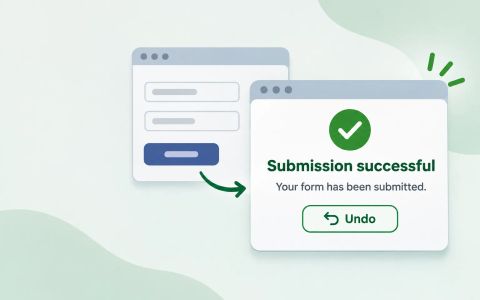
Use the page title, main heading, or a concise status message to confirm a successful form submission, then offer Undo for reversible actions and confirmation for irreversible ones.
When a form succeeds, the user still needs two answers: did it finish, and can I recover if I regret the action? That sounds simple, but many interfaces answer it badly by reusing error patterns, hiding the success state, or showing a confirmation dialog for actions that are actually reversible. The result is extra friction and unclear feedback.
The accessible pattern is more deliberate. If submission takes the user to a new page, the new title and main heading can announce success. If submission stays on the page, a concise status message can do that job. If the action can be undone, Undo is usually more useful than a blocking confirmation. If the action cannot be safely reversed, ask for confirmation before completing it. This article uses the WAI notifications and validation guidance, plus a small form-flow model, to make that decision visible.
A successful submit needs a completion state, not just a toast
A form that submits successfully still has to answer a user question: did the task finish, and can I safely back out if I acted too quickly? That is a different problem from validation. Validation explains why the form could not be accepted yet. Success feedback confirms that the action was completed and tells the reader what changed next.
The WAI notifications guidance gives three broad ways to surface that completion state: update the main heading, change the page title, or show a concise status message. Those options are not interchangeable. A new page can use the title and heading to announce the result at load time. An in-page form can keep the user on the same screen and expose a status region instead. The important part is that the success message is discoverable and concise, not buried in a visual flourish or mixed into an error summary.
The supplied form-flow example follows that split. It returns either a page-style success with a new title and heading, or a live status message with role `status`. It does not reuse the server-error-summary pattern for success because that would confuse the user about whether the submission failed or succeeded. The article’s central decision is therefore simple: choose the announcement channel that matches the page transition, then keep the content short and specific.
- The supplied example treats success as a distinct state, not as a variant of the error summary used for failed submissions.
- A successful submit can announce completion through the page title, the main heading, or a live status message, depending on whether the page navigates or updates in place.
- Undo is the better choice when the action is reversible; confirmation is for actions that are permanent or otherwise critical.
export const proofBoundary =
  'This model verifies the flow’s presentation contract. It does not prove how a particular browser or assistive technology announces a live region, title, or heading.';

function successPresentation(presentation, task) {
  const message = `Task “${task}” submitted successfully.`;

  if (presentation === 'page') {
    return {
      title: `Task submitted – Task manager`,
      heading: 'Task submitted',
      status: null,
      message,
    };
  }

  return {
    title: null,
    heading: null,
    status: { role: 'status', text: message },
    message,
  };
}

/**
 * Models a form submission UI. A real page can render `title` and `heading`
 * after navigation, or render the `status` live region after an in-page submit.
 */
export function createTaskFormFlow({ presentation = 'status', reversible = true } = {}) {
  if (!['status', 'page'].includes(presentation)) {
    throw new RangeError('presentation must be "status" or "page"');
  }

  let pendingSubmission = null;

  return {
    submit({ task, confirmed = false } = {}) {
      const normalizedTask = typeof task === 'string' ? task.trim() : '';

      if (!normalizedTask) {
        return {
          ok: false,
          kind: 'validation',
          fieldErrors: { task: 'Enter a task.' },
          // Success is not represented as a server-style error summary.
          errorSummary: null,
        };
      }

      if (!reversible && !confirmed) {
        return {
          ok: false,
          kind: 'confirmation-required',
          message: 'Confirm this permanent submission before continuing.',
        };
      }

      pendingSubmission = { task: normalizedTask };
      const feedback = successPresentation(presentation, normalizedTask);

      return {
        ok: true,
        kind: 'submitted',
        ...feedback,
        undoControl: reversible
          ? { action: 'undo', label: 'Undo submission', accessibleName: 'Undo submission' }
          : null,
      };
    },

    undo() {
      if (!reversible || pendingSubmission === null) {
        return {
          ok: false,
          kind: 'undo-unavailable',
          status: null,
        };
      }

      const { task } = pendingSubmission;
      pendingSubmission = null;
      return {
        ok: true,
        kind: 'undone',
        restoredTask: task,
        status: { role: 'status', text: `Submission of “${task}” was undone.` },
      };
    },
  };
}
SourcesW3C WAI: Forms notifications (opens a new tab)W3C WAI: Forms validation (opens a new tab)
Choose title, heading, or status based on how the page changes
The easiest mistake is to treat every successful submit as a toast problem. The guidance is more specific than that. If the submission causes navigation, the page title and top-level heading can carry the message immediately when the new page loads. That is useful because screen reader users hear the new document context without hunting for the result. If the submission happens in place, a live region can announce the outcome without forcing a page change.
The example encodes this choice as a `presentation` option. With `presentation: 'page'`, it returns a new title, `Task submitted – Task manager`, and a heading, `Task submitted`. With `presentation: 'status'`, it returns a status object with `role: 'status'` and the text `Task “...“ submitted successfully.` The same task result can therefore be expressed through different UI channels without changing the semantic meaning of the outcome.
That distinction matters because the announcement mechanism is part of the interaction contract. A title change is not just decoration; it tells the browser and assistive technology that the page context changed. A status region is not just a gray banner; it is a concise acknowledgement that the action finished. If the page is already showing an obvious success screen, duplicating that result in a blocking dialog would add noise rather than clarity.
- A live status message works best when the page stays in place after submission.
- A changed title or heading works best when submission takes the user to a new page or a visibly different state.
- Do not make the success message look like an error summary.
SourcesW3C WAI: Forms notifications (opens a new tab)W3C WAI: Forms validation (opens a new tab)
Undo and confirmation solve different risk levels
Undo and confirmation are often described as if they were the same kind of safeguard, but they protect different actions. The validation guidance is explicit: require user confirmation for irreversible actions, and provide undo functionality where possible for reversible ones. That means the design question is not “which extra control should I always add?” It is “can this action be reversed safely, and how quickly?”
The supplied example makes that boundary visible. When the form is reversible, `submit()` returns an `undoControl` object with the action `undo`, a label, and an accessible name. When the form is marked irreversible, it suppresses Undo and instead requires `confirmed: true`. The irreversible branch is not a cosmetic variant of the reversible branch; it is a different contract. The user must actively confirm before the submission can proceed.
That split keeps the interface honest. An Undo control says, in effect, “this action completed, but you can safely revert it for a short time.” A confirmation step says, “this action is not safely reversible, so pause and verify.” If you use a blocking confirmation for an action that is fully reversible, you force extra friction where a lightweight escape would be better. If you use Undo for a permanent deletion, you imply a recovery path that may not exist.
- Use confirmation when the action is irreversible or otherwise critical.
- Use Undo when the action is reversible and the user may need a quick escape hatch.
- Do not use the same interaction for both cases; they solve different problems.
SourcesW3C WAI: Forms validation (opens a new tab)W3C WAI: Forms notifications (opens a new tab)
Keep validation errors and success messages separate
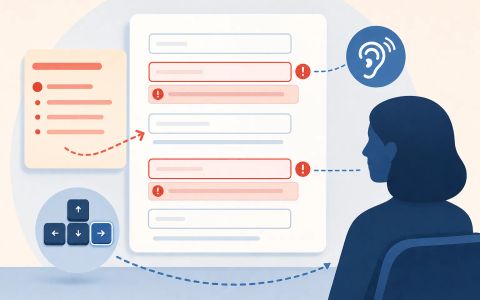
A success announcement is only useful if it cannot be mistaken for a validation error. That is why the example keeps the empty-task case separate from the submission-success case. When the task is blank, the flow returns `kind: 'validation'`, a field error for `task`, and `errorSummary: null`. The reader gets a correction path, not a generic announcement block.
This separation matters in real interfaces because some teams reuse one top-of-page container for every system message. That shortcut makes the page harder to parse. Users then have to distinguish among validation problems, warnings, confirmations, and success acknowledgements by color or phrasing alone. The WAI guidance instead treats notifications as purpose-specific. Validation errors should help the user recover input. Success messages should confirm completion. Confirmation prompts should interrupt only when the action’s risk warrants it.
The example’s explicit `errorSummary: null` is a useful detail because it shows what the article is not doing. It is not presenting a server-style error list after a successful submit. It is not pretending that success and failure are the same user state. It is proving that a submit can resolve into a positive completion state without borrowing the structure reserved for errors.
- The example keeps validation separate from success feedback.
- An empty task returns a field error and no success state.
- A successful submission should never be inferred from a missing error summary.
SourcesW3C WAI: Forms notifications (opens a new tab)W3C WAI: Forms validation (opens a new tab)
What the example proves, and what it cannot prove
The supplied test fixture is valuable because it makes the interaction contract testable. It proves that a reversible submission returns a success result, exposes a discoverable status message, and includes an Undo control. It also proves that a page-style success can carry a changed title and heading, and that an empty submission returns a field error rather than a success message. Those are the pieces a UI implementation can own directly.
The fixture also proves the boundary between undoable and irreversible work. Calling `undo()` after a reversible submit returns the restored task once, then reports that Undo is unavailable on the second call. That is a practical way to model an action that can be reversed briefly but not indefinitely. The irreversible branch, meanwhile, returns a confirmation-required result until the caller supplies `confirmed: true`. In other words, the example does not treat confirmation as a decoration; it treats confirmation as the gate for a permanent action.
At the same time, the example does not prove how a particular screen reader or browser will announce the live region, page title, or heading. That is a separate browser-and-assistive-technology question. The article can responsibly say that the flow is structured for those channels, but it cannot claim a guaranteed announcement order from the model alone. That limit is useful to state because accessible success feedback depends on both the markup contract and the actual client behavior.
- A status message can be concise and still be accessible if it is discoverable.
- Undo should restore the prior state once, then disappear or become unavailable.
- The browser and assistive technology still own announcement behavior; the example only models the contract.
SourcesW3C WAI: Forms notifications (opens a new tab)W3C WAI: Forms validation (opens a new tab)
A practical decision rule for the flow
A good rule of thumb is to decide the announcement channel before you design the copy. If the submit lands on a new page, update the title and main heading so the new state is obvious immediately. If the submit stays in place, expose a concise live status message. In both cases, keep the wording short and task-focused: say that the task was submitted successfully, or that the action was undone, rather than writing a paragraph that repeats what the user just did.
Then decide whether the user needs an escape hatch or a checkpoint. If the action is reversible, an Undo control is more helpful than a modal confirmation because it lets the user proceed and recover if needed. If the action is not safely reversible, require confirmation before the action completes. That is the point where blocking feedback belongs. A permanent deletion or transfer is not a candidate for a gentle after-the-fact Undo link.
The article’s example demonstrates both choices without conflating them. The reversible branch returns a status message and Undo. The irreversible branch returns confirmation-needed instead of a false promise of recovery. That combination is what makes the result accessible and understandable: success is announced through the right channel, and reversibility is offered only when it actually exists.
- Use a success state that matches the navigation pattern.
- Use Undo only for reversible actions, and confirmation for irreversible ones.
- Keep the success message short, explicit, and distinct from error handling.
import test from 'node:test';
import assert from 'node:assert/strict';
import { createTaskFormFlow } from './main.mjs';

test('a reversible in-page submission exposes concise status feedback and Undo', () => {
  const flow = createTaskFormFlow({ presentation: 'status', reversible: true });

  const result = flow.submit({ task: 'Send agenda' });

  assert.equal(result.ok, true);
  assert.equal(result.kind, 'submitted');
  assert.deepEqual(result.status, {
    role: 'status',
    text: 'Task “Send agenda” submitted successfully.',
  });
  assert.deepEqual(result.undoControl, {
    action: 'undo',
    label: 'Undo submission',
    accessibleName: 'Undo submission',
  });
});

test('a page-style success supplies a new title and main heading', () => {
  const flow = createTaskFormFlow({ presentation: 'page', reversible: true });

  const result = flow.submit({ task: 'Publish notes' });

  assert.equal(result.ok, true);
  assert.equal(result.title, 'Task submitted – Task manager');
  assert.equal(result.heading, 'Task submitted');
  assert.equal(result.status, null);
});

test('an empty task reports a field validation failure rather than a success or error summary', () => {
  const flow = createTaskFormFlow({ presentation: 'status', reversible: true });

  const result = flow.submit({ task: '   ' });

  assert.equal(result.ok, false);
  assert.equal(result.kind, 'validation');
  assert.deepEqual(result.fieldErrors, { task: 'Enter a task.' });
  assert.equal(result.errorSummary, null);
});

test('Undo restores the submitted task once and is unavailable after it is used', () => {
  const flow = createTaskFormFlow({ presentation: 'status', reversible: true });
  flow.submit({ task: 'Archive draft' });

  const undone = flow.undo();
  const repeatedUndo = flow.undo();

  assert.deepEqual(undone, {
    ok: true,
    kind: 'undone',
    restoredTask: 'Archive draft',
    status: { role: 'status', text: 'Submission of “Archive draft” was undone.' },
  });
  assert.deepEqual(repeatedUndo, {
    ok: false,
    kind: 'undo-unavailable',
    status: null,
  });
});

test('an irreversible submission asks for confirmation and does not offer Undo', () => {
  const flow = createTaskFormFlow({ presentation: 'status', reversible: false });

  const unconfirmed = flow.submit({ task: 'Permanently delete record' });
  const confirmed = flow.submit({ task: 'Permanently delete record', confirmed: true });

  assert.equal(unconfirmed.kind, 'confirmation-required');
  assert.equal(confirmed.ok, true);
  assert.equal(confirmed.undoControl, null);
});
SourcesW3C WAI: Forms notifications (opens a new tab)W3C WAI: Forms validation (opens a new tab)